RGA Image Processing
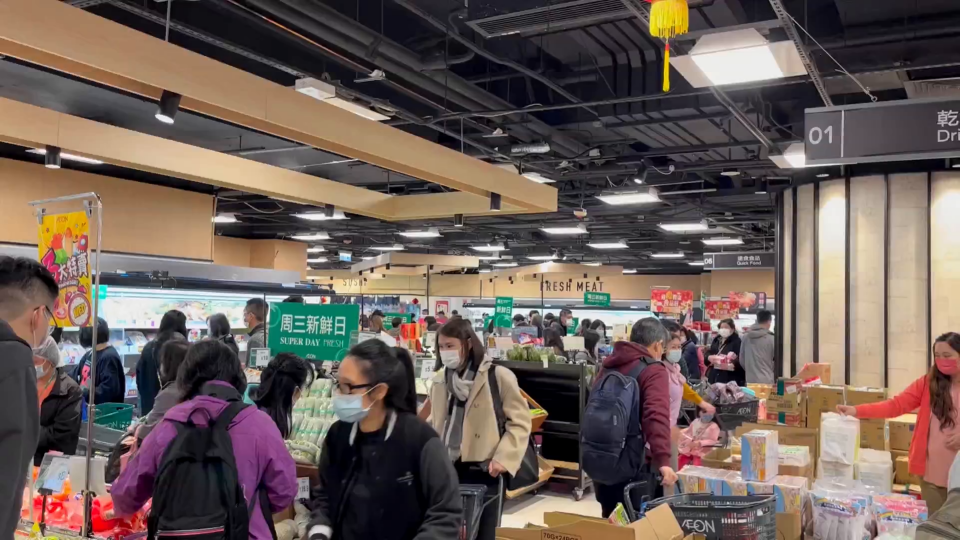
Workflow: local MP4 → MPP hardware decoding → RGA image processing → images and preview page. These four tested examples include API calls, commands, and output images.
| Task | Official Rockchip IM2D API | Script argument |
|---|---|---|
| Downscale | imresize | resize |
| Crop a region | imcrop | crop |
| Rotate 90° clockwise | imrotate | rotate90 |
| Convert RGB to/from NV12 | imcvtcolor | convert |
Run examples with public/run_rga_examples.sh; the full implementation is in public/rga_image_demo.cc. Each run generates PNG images and preview.html to compare the input and output.
Download and Setup
Environment and source: Quick Start: Docker + Demo SDK.
Complete the Quick Start setup, then replace /absolute/extracted/path with the extraction directory. If you are already in demo-sdk/, run cd hardware.
cd /absolute/extracted/path/demo-sdk/hardware
Run the remaining commands in this directory. Scripts, C++ source, and executables are in public/; sample MP4 and H.264 files are in material/. Dependencies are preinstalled in the container; the host must provide compatible BSP drivers.
Prepare an Input Image
Run from the hardware example directory prepared above:
# Decode one bundled video frame into results/decode-file/frame.rgb.
if [ ! -s "$PWD/results/decode-file/frame.rgb" ]; then
  sudo ./public/run_hw_demo.sh decode-file \
    --input "$PWD/material/input.mp4" \
    --output "$PWD/results/decode-file"
fi
The commands below read frame.rgb by default: 1920×1080 packed RGB888 raw pixels, not a PNG or JPEG file. Skip decoding if this input already exists. Use a new output directory for each run; existing results are not overwritten.
The snippets assume source and destination buffers have been allocated for the required format, dimensions, and stride, then imported into RGA. The full code is in public/rga_image_demo.cc. Operations succeed with ret == IM_STATUS_SUCCESS; errors stop execution without falling back to CPU processing.
Resize: 1920×1080 → 960×540
The resized output appears at the top of this page.
API: imresize. Source and destination buffer dimensions define the scaling ratio. This example uses linear interpolation.
IM_STATUS ret = imresize(source.buffer, resized.buffer,
                        0, 0, IM_INTERP_LINEAR, 1);
if (ret == IM_STATUS_SUCCESS) { /* The resized image is ready to read. */ }
else throw std::runtime_error(imStrError(ret));
sudo ./public/run_rga_examples.sh resize --output "$PWD/results/rga-resize"
Open results/rga-resize/preview.html or results/rga-resize/resize_960x540_rgb.png. Raw pixels are in resize_960x540_rgb.raw in the same directory.
Crop a Region
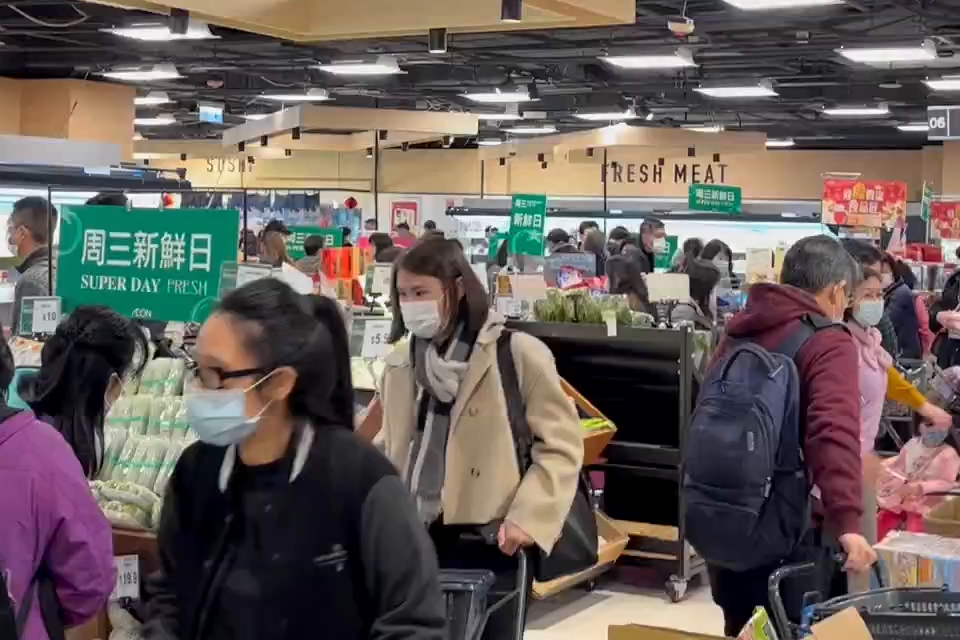
API: imcrop. Specify the region of interest from the source's top-left corner: x=480, y=400, width=960, height=640. The destination is 960×640.
im_rect roi{480, 400, 960, 640};
IM_STATUS ret = imcrop(source.buffer, cropped.buffer, roi, 1);
if (ret == IM_STATUS_SUCCESS) { /* The cropped image is ready to read. */ }
else throw std::runtime_error(imStrError(ret));
sudo ./public/run_rga_examples.sh crop --output "$PWD/results/rga-crop"
Open results/rga-crop/preview.html or results/rga-crop/crop_960x640_rgb.png. Raw pixels are in crop_960x640_rgb.raw.
Rotate Landscape to Portrait
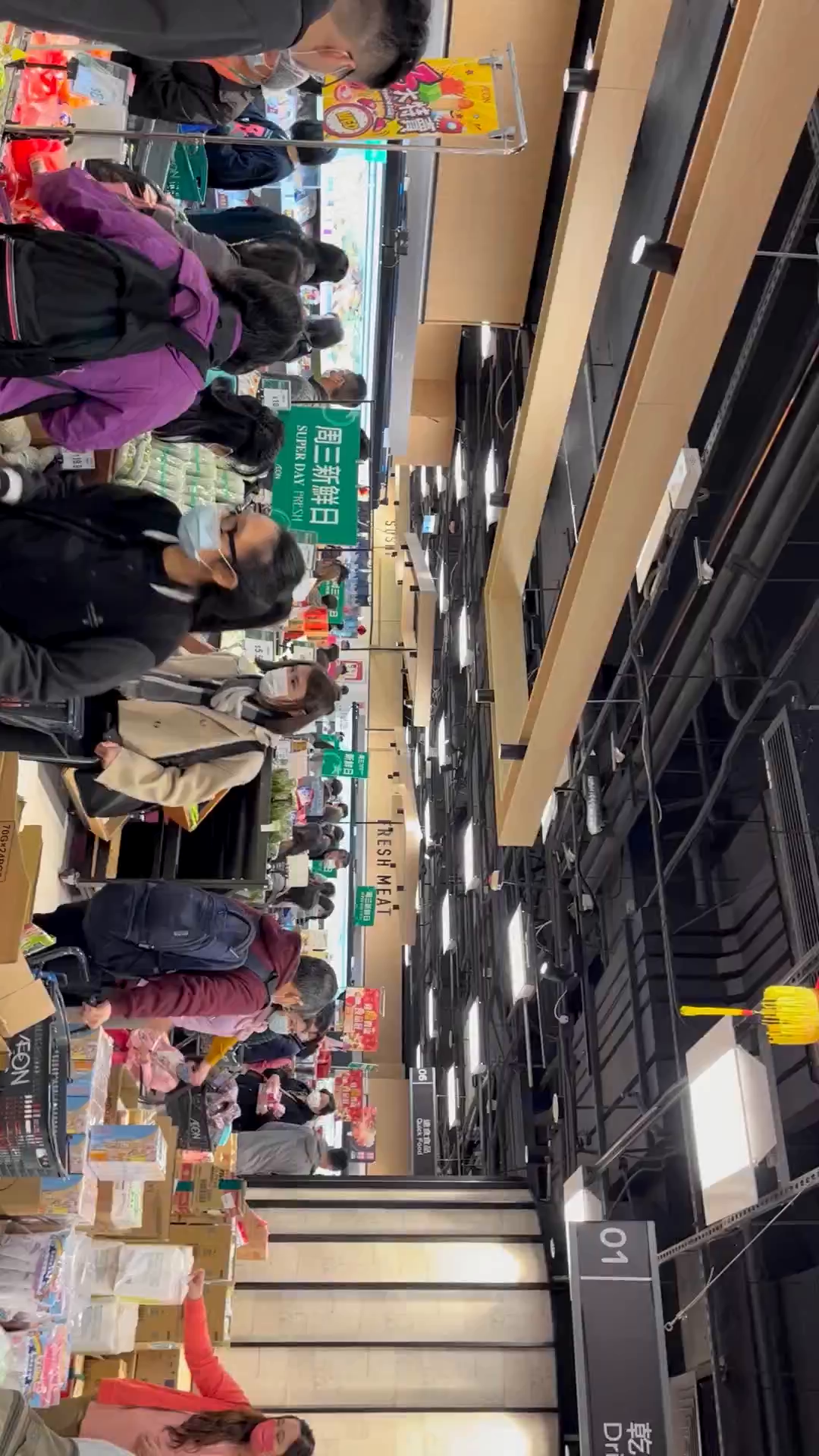
API: imrotate. Pass IM_HAL_TRANSFORM_ROT_90, not the numeric value 90. Destination width and height are swapped to 1080×1920.
IM_STATUS ret = imrotate(source.buffer, rotated.buffer,
                        IM_HAL_TRANSFORM_ROT_90, 1);
if (ret == IM_STATUS_SUCCESS) { /* The rotated image is ready to read. */ }
else throw std::runtime_error(imStrError(ret));
sudo ./public/run_rga_examples.sh rotate90 --output "$PWD/results/rga-rotate90"
Open results/rga-rotate90/preview.html or results/rga-rotate90/rotate90_1080x1920_rgb.png. Raw pixels are in rotate90_1080x1920_rgb.raw.
Color Conversion: RGB → NV12 → RGB
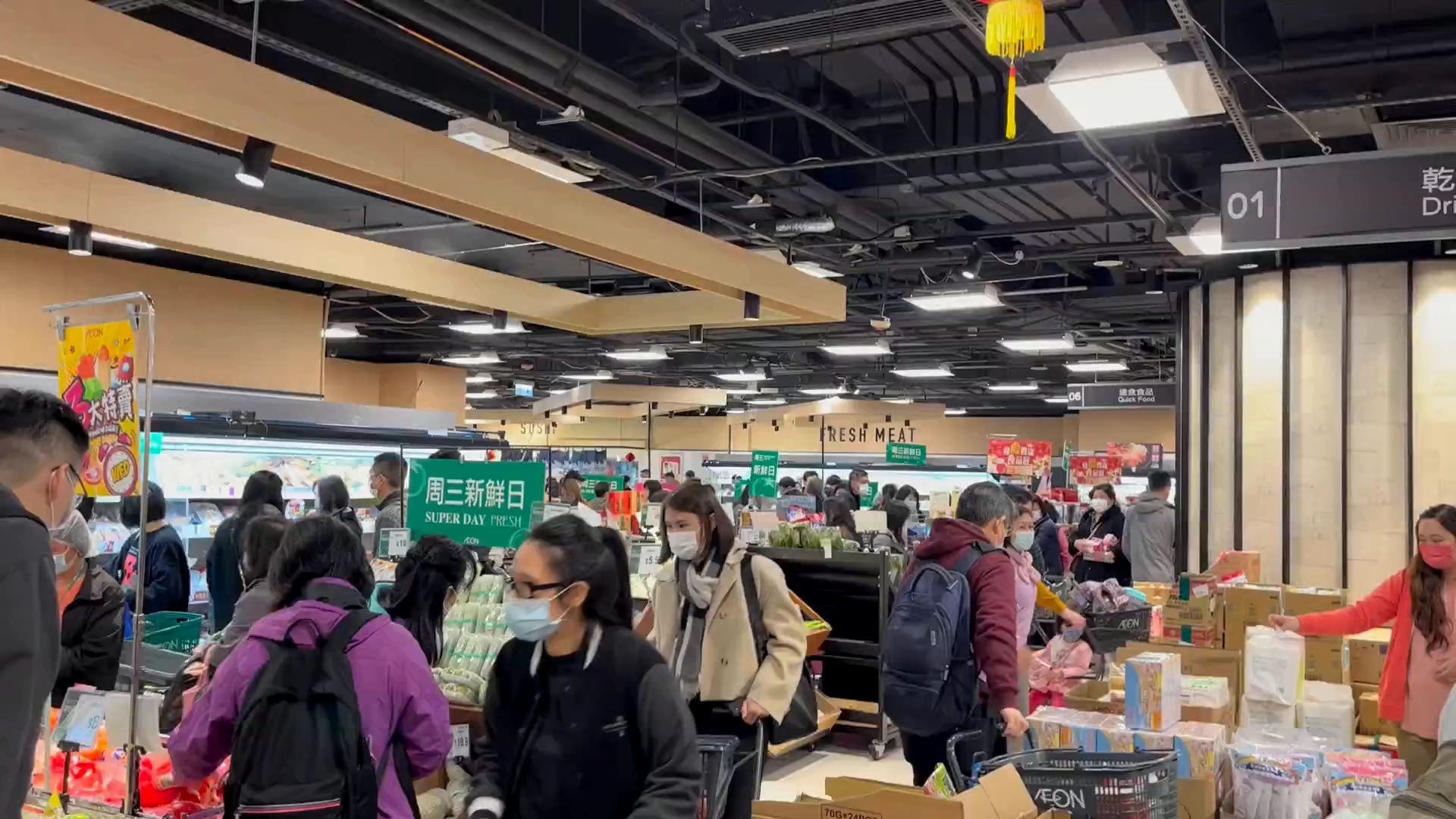
API: imcvtcolor. Convert RGB to NV12, then back to RGB for display. Both outputs are 1920×1080, using explicitly selected BT.601 limited-range conversion.
IM_STATUS ret = imcvtcolor(source.buffer, nv12.buffer,
    RK_FORMAT_RGB_888, RK_FORMAT_YCbCr_420_SP,
    IM_RGB_TO_YUV_BT601_LIMIT, 1);
if (ret != IM_STATUS_SUCCESS) throw std::runtime_error(imStrError(ret));

ret = imcvtcolor(nv12.buffer, roundtrip.buffer,
    RK_FORMAT_YCbCr_420_SP, RK_FORMAT_RGB_888,
    IM_YUV_TO_RGB_BT601_LIMIT, 1);
if (ret == IM_STATUS_SUCCESS) { /* The converted RGB image is ready to read. */ }
else throw std::runtime_error(imStrError(ret));
sudo ./public/run_rga_examples.sh convert --output "$PWD/results/rga-convert"
Open results/rga-convert/preview.html or results/rga-convert/nv12_to_rgb_1920x1080.png. Intermediate pixels are in rgb_to_nv12_1920x1080.raw; final RGB pixels are in nv12_to_rgb_1920x1080.raw. NV12 uses chroma subsampling, so round-trip conversion is not pixel-exact.
Use Your Own Input or Run All Cases
sudo ./public/run_rga_examples.sh all \
  --input "$PWD/results/decode-file/frame.rgb" \
  --output "$PWD/results/rga-all"
Set --input to the absolute path of your 1920×1080 RGB888 raw file. The native program accepts --case resize|crop|rotate90|convert|all and defaults to all. The launcher runs the program in Docker; no manual compilation is required.
Each output directory includes rga_results.json, demo_summary.json, and process.log, recording API calls, parameters, return values, dimensions, stride, and checksums. RGA performs the transformations; the CPU encodes the resulting pixels as PNG or JPEG files.
View Your Results
From demo-sdk/hardware/, serve the results:
python3 -m http.server 8001 --bind 0.0.0.0 --directory results
Open http://<Core3588E_IP>:8001/ from a computer on the same network. Select an output directory such as rga-all/, then open preview.html. Press Ctrl+C to stop the server. If port 8001 is in use, choose another port in both the command and URL.
Buffer Handling
Buffer lifecycle: importbuffer_virtualaddr → wrapbuffer_handle → imcheck → image operation → releasebuffer_handle. imcheck validates parameters and returns IM_STATUS_NOERROR on success; it does not transform pixels. The final 1 in each operation selects synchronous execution. Read output after the call completes. RGA stride is in pixels; allocate enough memory for the format and stride. See format and alignment requirements.
Integrate into Your C++ Application
The call path is librga IM2D API → kernel RGA driver → RGA hardware. Input must be decoded pixel data. Import source and destination buffers separately and keep both valid until synchronous execution completes:
// pixels points to valid RGB888 memory; bytes includes the storage required by stride.
rga_buffer_handle_t handle = importbuffer_virtualaddr(pixels, bytes);
if (!handle) throw std::runtime_error("RGA import failed");
rga_buffer_t src = wrapbuffer_handle(handle, width, height,
                                    RK_FORMAT_RGB_888, wstride, hstride);
// Create dst similarly, then call imcheck and the required IM2D operation.
// After synchronous use completes, release the imported handle, then free pixel memory.
releasebuffer_handle(handle);
source.buffer, resized.buffer, and similar objects are wrapped rga_buffer_t values. The supplied C++ source includes allocation, destination buffers, parameter checks, and cleanup. Cached dma-buf buffers need CPU / device cache synchronization; asynchronous operation requires waiting for a fence.
The tested RGA API version is 1.10.5_[9]; documentation links are pinned to official Rockchip commits. The rotated image is 1080 pixels wide with a row stride of 1088 pixels; saving removes the padding. RGB→NV12→RGB is lossy because it uses BT.601 limited-range conversion and 4:2:0 chroma subsampling. File I/O and PNG encoding run on the CPU. These examples do not implement MPP→RGA dma-buf sharing.