RTC
Core 3588E has a real-time clock (RTC) on the module. While the module is powered, the RTC keeps counting. When power is removed, it needs a backup battery on the carrier board, connected to the PMIC_BBAT pin of the module; without one, the time is lost at every power-off.
On the Leetop A206, the battery holder is on the bottom side of the carrier board, see Hardware Information. It takes a CR1225 coin cell. The battery is not included.
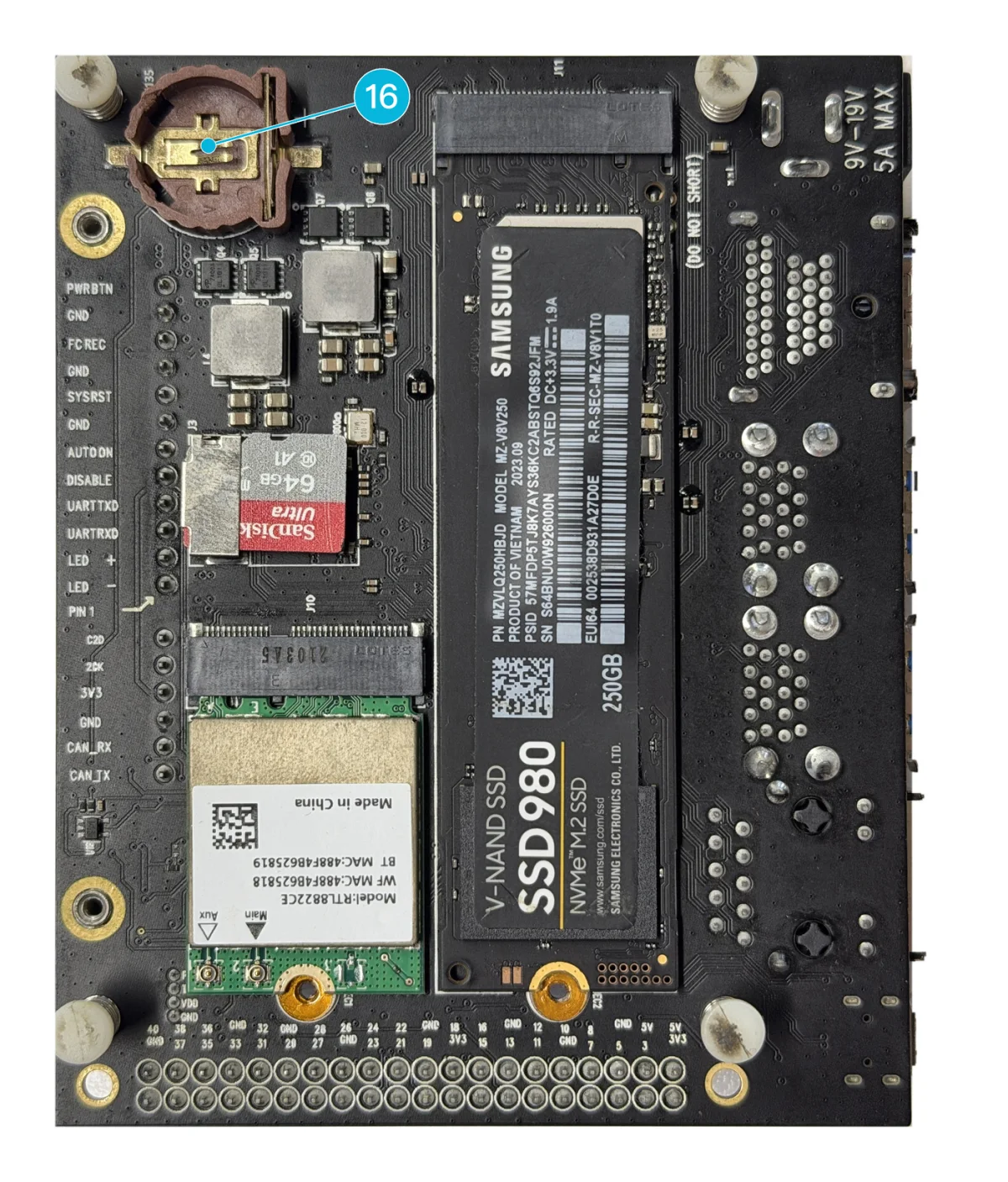
Figure 1. The RTC battery holder on the bottom side of the Leetop A206
Install the battery
- Disconnect the power adapter from the carrier board.
- Press the coin cell into the battery holder, with its + side matching the + printed next to the holder, until it is fully seated.
- Connect the power adapter.
Check the time
The commands in this section and the next are for Mixtile OS.
When Mixtile OS is connected to the internet, it sets the system time from the network and writes it to the RTC as well. At startup, it reads the time from the RTC.
To check both clocks:
timedatectl
Expected result: Local time and RTC time show the same time, and System clock synchronized is yes:
               Local time: Tue 2026-09-29 09:32:21 UTC
           Universal time: Tue 2026-09-29 09:32:21 UTC
                 RTC time: Tue 2026-09-29 09:32:22
                Time zone: Etc/UTC (UTC, +0000)
System clock synchronized: yes
              NTP service: active
          RTC in local TZ: no
Set the RTC without a network
Without a network connection, set the system time yourself, then copy it to the RTC with hwclock, from the util-linux-extra package:
sudo apt install -y util-linux-extra
sudo timedatectl set-ntp false
sudo timedatectl set-time "2026-09-29 10:00:00"
sudo hwclock -w
To read the RTC directly:
sudo hwclock -r
Run sudo timedatectl set-ntp true to go back to network time once the board is online.