Cellular Modules
Edge 2 takes the Quectel EC25-V in the Mini PCIe socket, and the EM06-A and RM500Q-AE in the M.2 socket. Each socket has its own micro-SIM slot.
The commands on this page are for Mixtile OS, which includes ModemManager and NetworkManager.
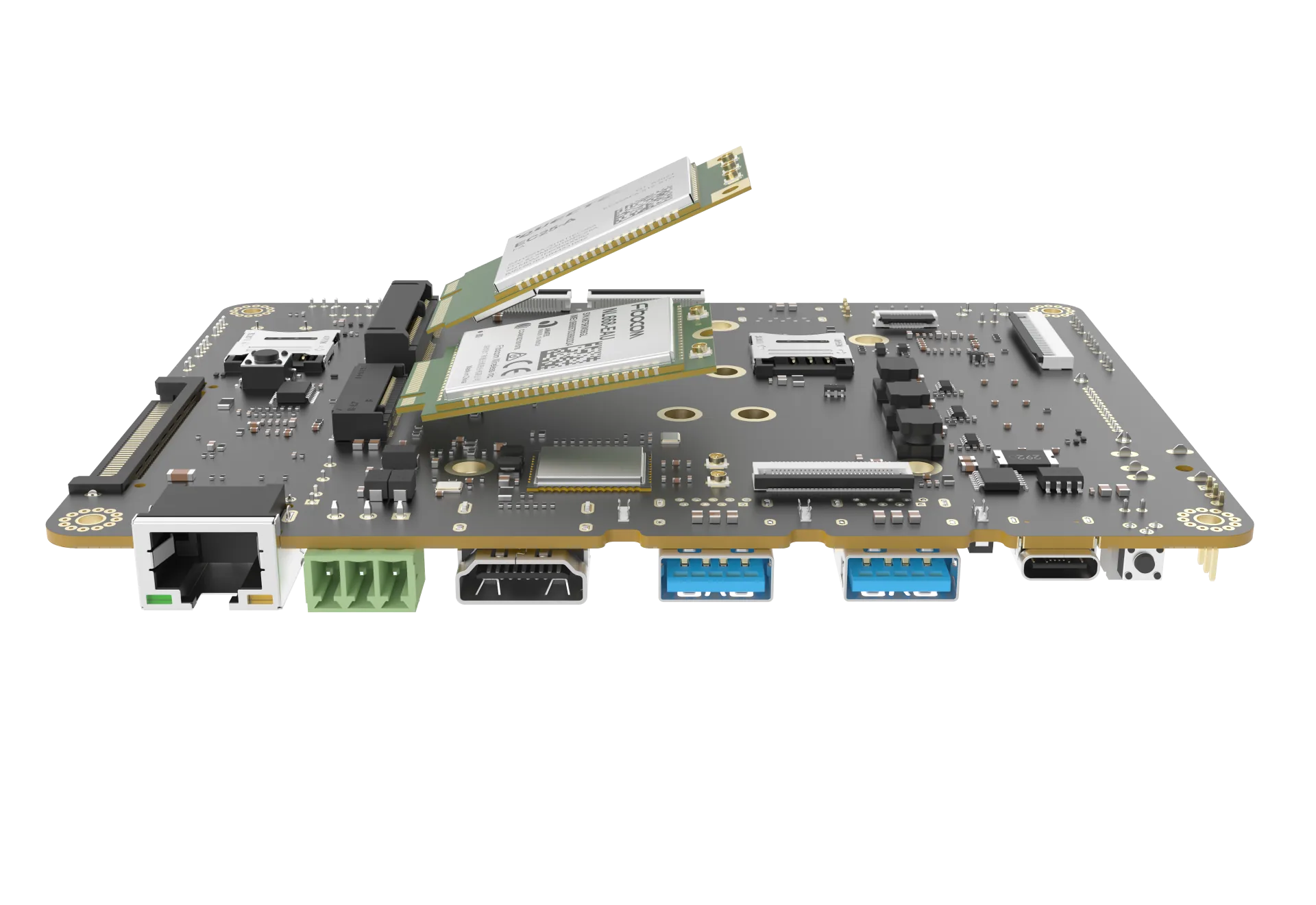
Figure 1. Cellular modules above the M.2 and Mini PCIe sockets
Tested Modules
| Module | Socket | Network | Maximum data rate | Antennas |
|---|---|---|---|---|
| EC25-V | Mini PCIe | LTE FDD and TDD, UMTS, GSM | 150 Mbps down, 50 Mbps up | 3: main, diversity, GNSS |
| EM06-A | M.2 Key B, 2242 | LTE FDD and TDD, UMTS | 300 Mbps down, 50 Mbps up | 3: main, diversity, GNSS |
| RM500Q-AE | M.2 Key B, 3052 | 5G NR Sub-6 in NSA and SA, LTE, UMTS | 2.5 Gbps down, 650 Mbps up | 4 |
Mixtile has tested these modules on Edge 2 with compatible SIM cards. Other modules that use the standard Linux USB modem drivers can also work; check the module's bands for your carrier.
Install the Module
| Socket | SIM slot | Modules |
|---|---|---|
| Mini PCIe | SIM: mini-PCIe | EC25-V |
| M.2 | SIM: M.2 | EM06-A, RM500Q-AE |
- Shut down Edge 2 and disconnect the power supply.
- Insert the micro-SIM into the slot for the socket.
- Line up the notch on the module with the key in the socket, insert the module at an angle, press it down flat, and secure it with the screw.
- Connect the main antenna. The diversity and GNSS antennas are optional.
- Reconnect the power supply.
Connect the main antenna before you use the module. Do not transmit without an antenna.
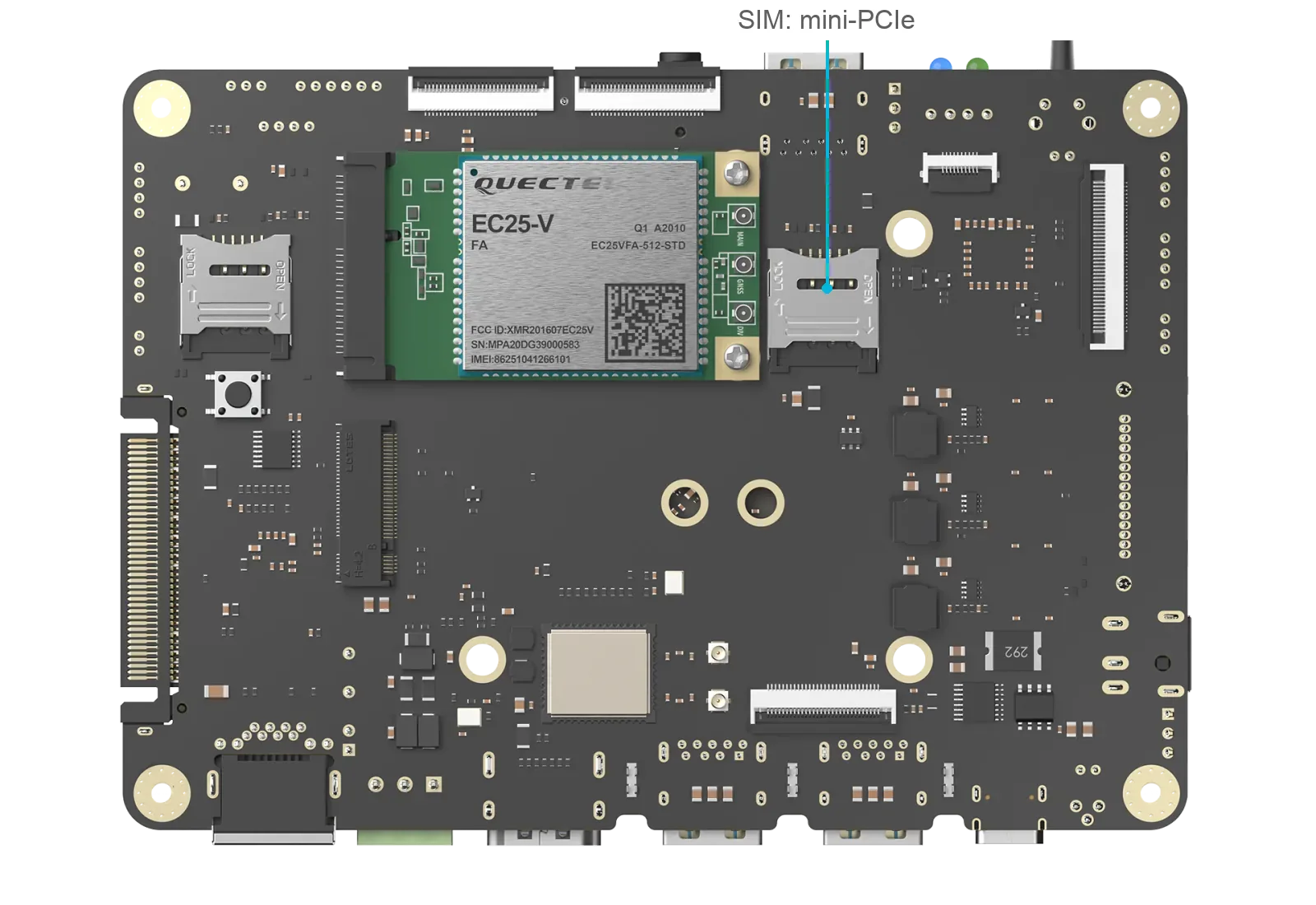
Figure 2. EC25-V in the Mini PCIe socket, with its SIM slot marked
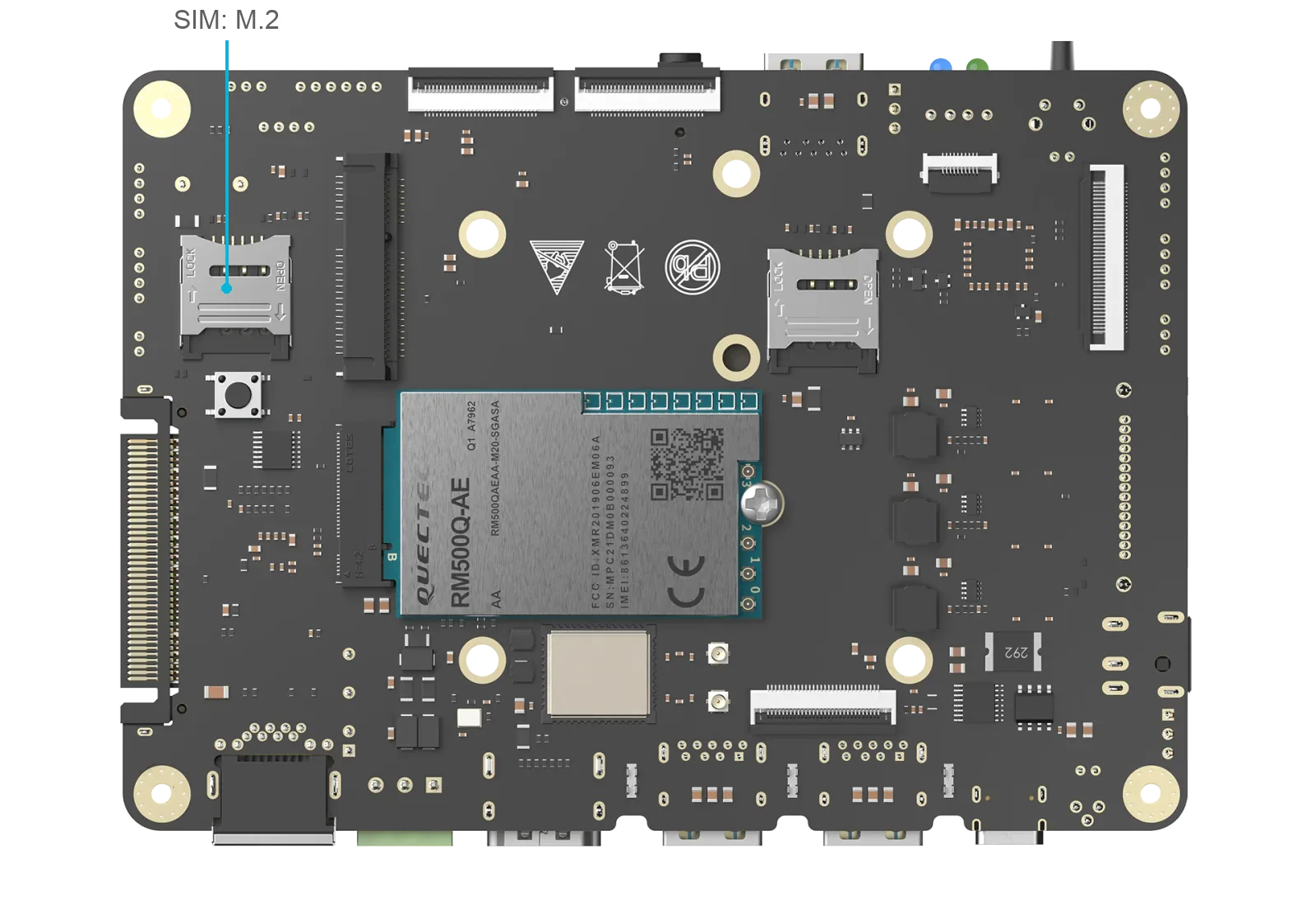
Figure 3. RM500Q-AE in the M.2 socket, with its SIM slot marked
Connect to the Network
Mixtile OS detects the module and the SIM automatically. To use mobile data, create a connection with the APN from your carrier.
-
Check that the modem is detected:
Edge 2sudo mmcli -LExpected result: the modem, for example
[Quectel] RM500Q-AE. It can take about 30 seconds after power-on for the modem to appear. -
Create a connection with the access point name (APN) from your carrier:
Edge 2sudo nmcli connection add type gsm con-name cellular ifname "*" apn "<APN>"If a connection named
cellularalready exists, skip to step 3.Replace
<APN>with the APN, for exampleinternet. If the carrier also gives a user name and a password, add them:Edge 2sudo nmcli connection modify cellular gsm.username "<user>" gsm.password "<password>" -
Start the connection:
Edge 2sudo nmcli connection up cellularExpected result:
Connection successfully activated. -
Check the connection:
Edge 2nmcli connection show --activeip address showExpected result:
cellularis active, and a WWAN interface, usuallywwan0, has an IP address.The signal quality is in the output of
sudo mmcli -m any.
The connection starts again after a restart.
Troubleshooting
mmcli -Llists no modem: Shut down and disconnect the power supply, then check that the module is seated and the SIM is in the slot for the socket.lsusbshould list the module.- No signal: Connect the main antenna, and check the signal quality with
sudo mmcli -m any. - The connection does not start: Check the APN and that the SIM has a data plan.
- SIM PIN: If your SIM card is PIN-protected, you may need to unlock it before connecting to the mobile network.