Edge 2 Kit
The Edge 2 Kit is Edge 2 in a metal enclosure, supplied with two 2.4 GHz and 5 GHz Wi-Fi antennas. The enclosure has openings for every port on the edges of the board, and labels them on its panels.
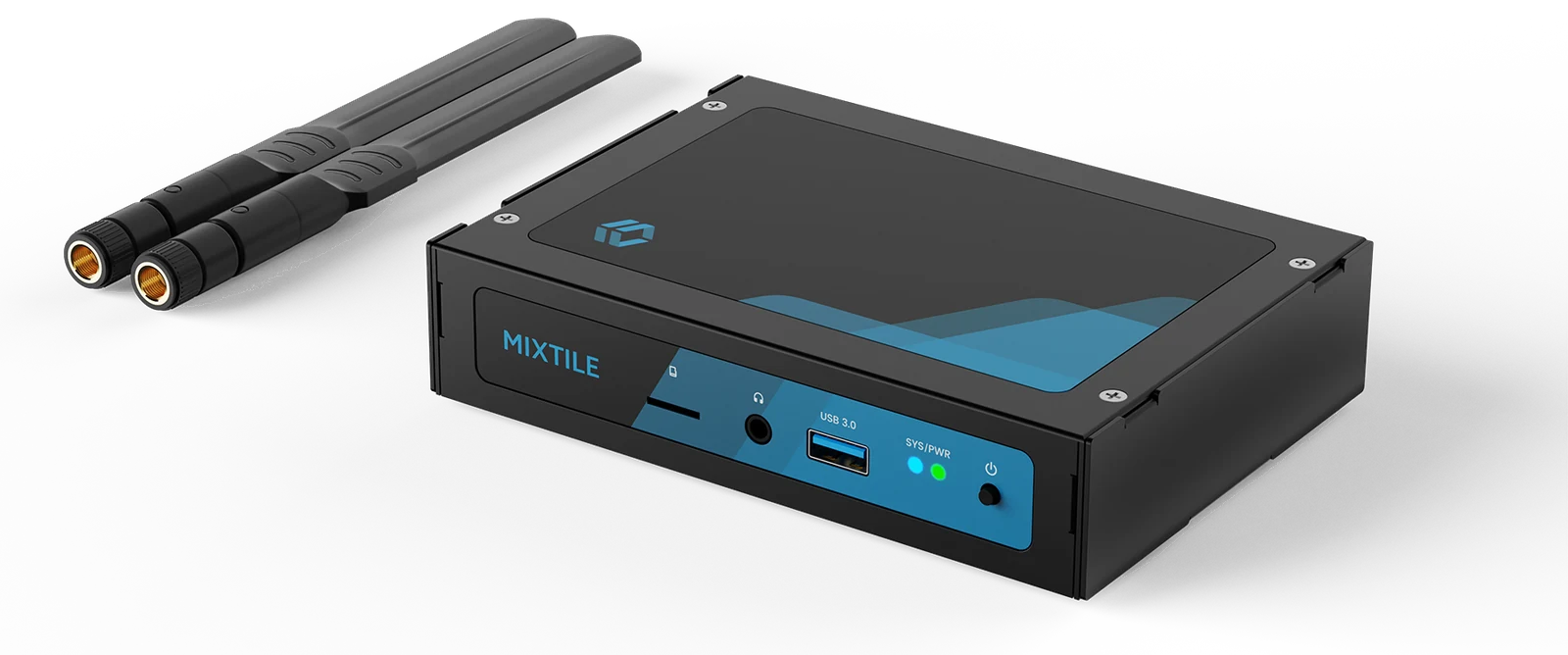
Figure 1. Edge 2 Kit
Specifications
| Item | Specification |
|---|---|
| Dimensions | 148 x 105 x 32 mm |
| Antennas | 2 x Wi-Fi antennas, 2.4 GHz and 5 GHz |
| Hardware versions | v1.0; v1.1, which adds DIN-rail mounting and a removable back cover |
| Compliance certificates | CE, FCC, RoHS, WEEE and RCM (ZIP) |
Panels
| Panel | Ports |
|---|---|
| Front | microSD slot, headphone jack, USB 3.0, SYS and PWR LEDs, power button |
| Rear | RESET, POWER (USB-C), 2 x USB 3.0, HDMI, RS-485 (G, B, A), Ethernet |
| Right side | SATA power connector, DC 12V jack |
| Left side | Opening for the U.2 connector |
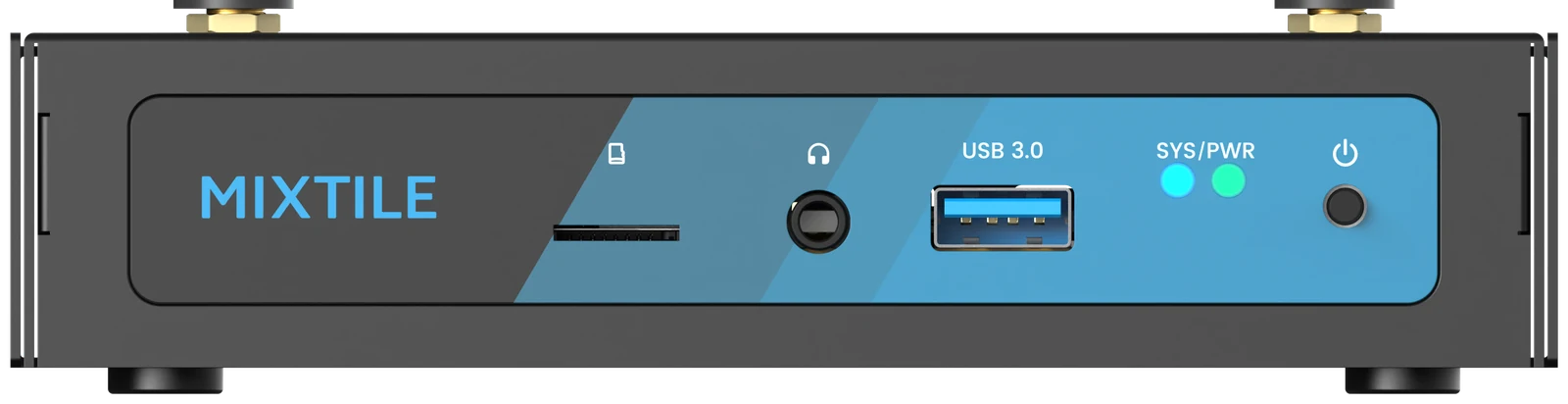
Figure 2. Front panel
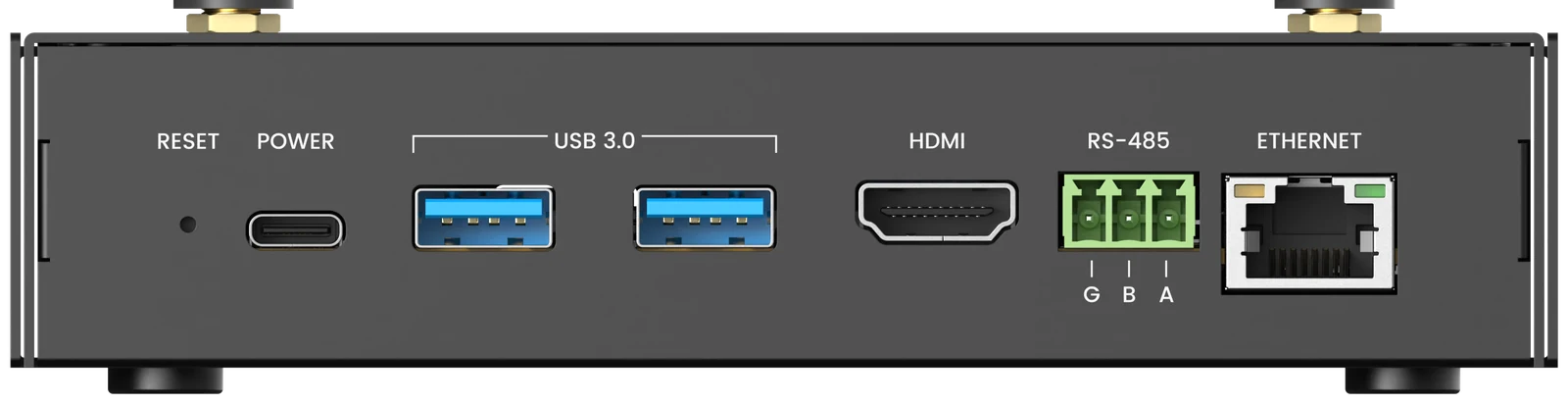
Figure 3. Rear panel. On the RS-485 terminal, G is GND, B is 485B and A is 485A.
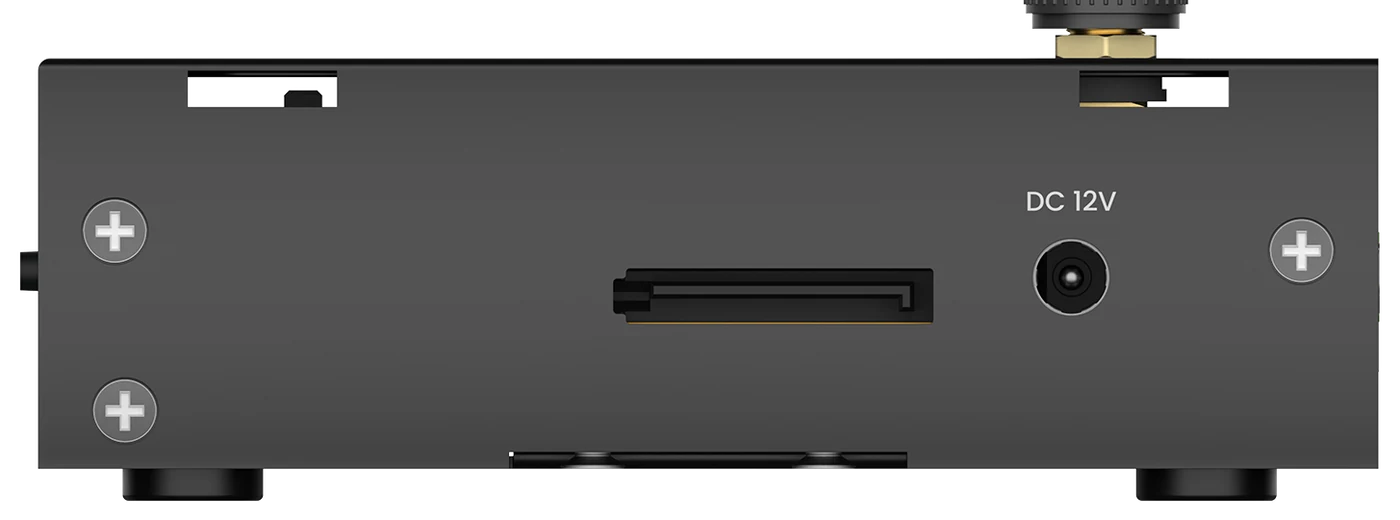
Figure 4. Right side
Fit the Antennas
Remove the protective caps from the two antenna connectors on the top of the enclosure. Screw the antennas on clockwise, and point them upwards.
Open the Enclosure
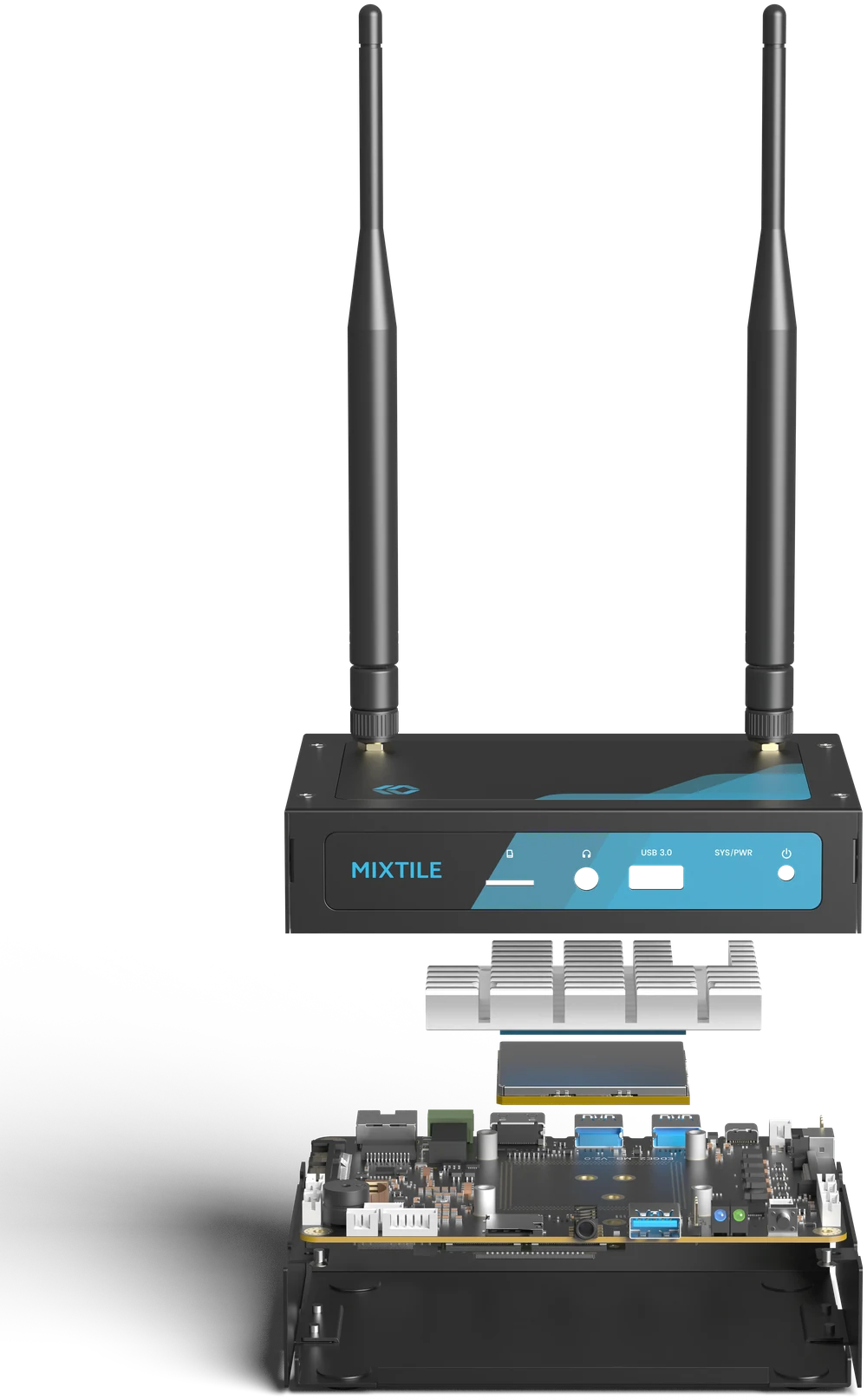
Figure 5. Exploded view of the Edge 2 Kit
Shut down Edge 2 and disconnect all cables before you open the enclosure.
- Top cover, the side with the antennas: remove it to reach the connectors on the top side of the board, including the MASKROM button, the debug UART, the UART, CAN, I²C and ADC connectors, and the RTC battery holder. Unscrew the antennas first.
- Bottom cover: remove it to reach the M.2 and Mini PCIe sockets and their SIM slots on the bottom side of the board.