Setting Up Zigbee and Z-Wave
Mixtile 2-in-1 Zigbee & Z-Wave mPCIe Interface Module is designed for Home Assistant users and developers. After installing Home Assistant (see Home Assistant OS), install the module as described in Accessories, then configure it in Home Assistant as described below.
Setting up Zigbee
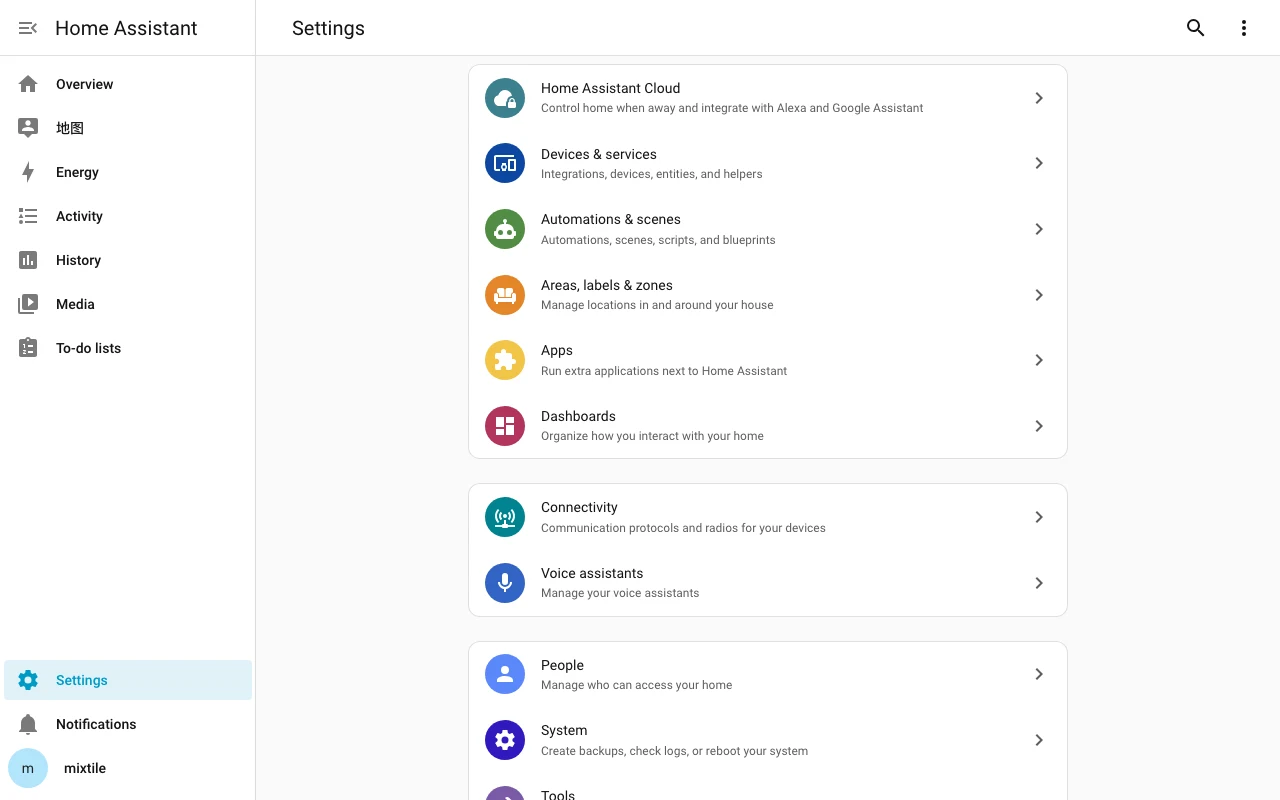
- In the Home Assistant dashboard (
http://homeassistant.local:8123orhttp://[your_IP_address]:8123), click Settings in the side navigation bar and then click Devices & services.
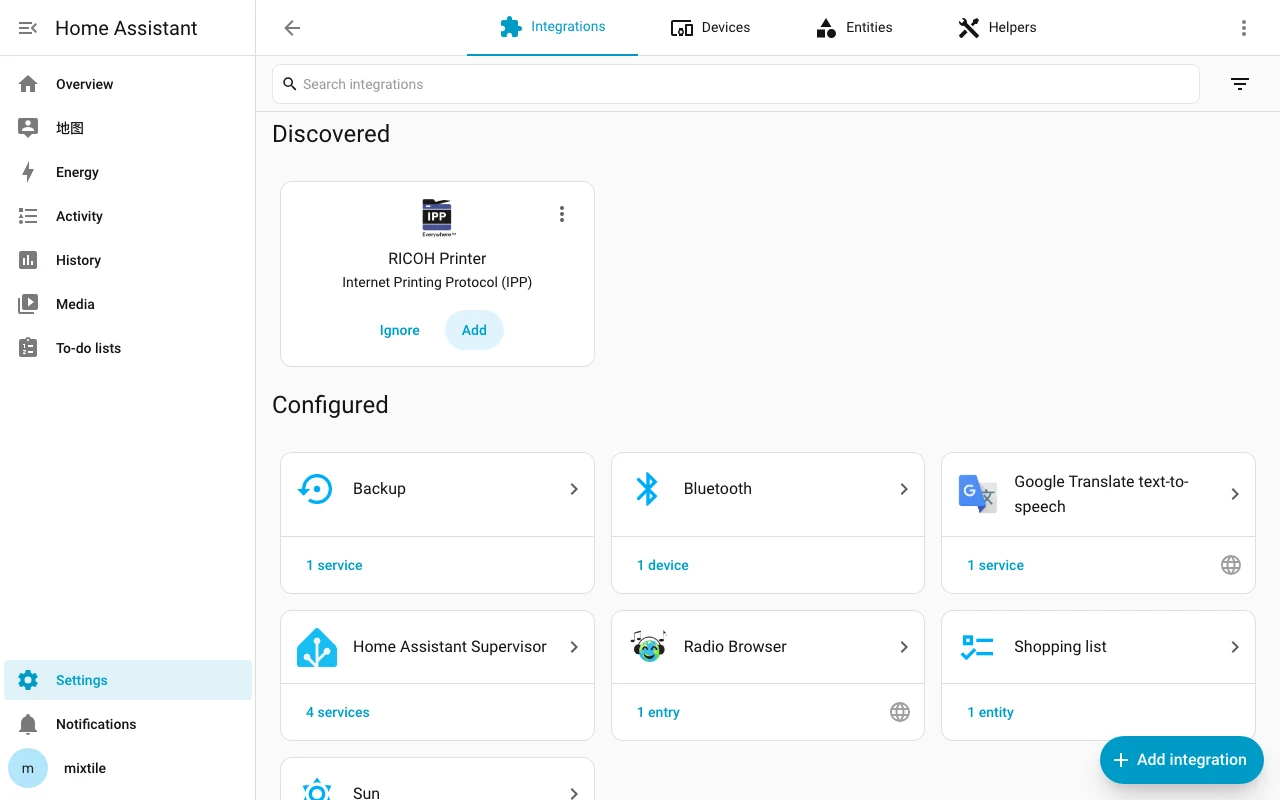
- Click Add integration at the bottom-right corner.
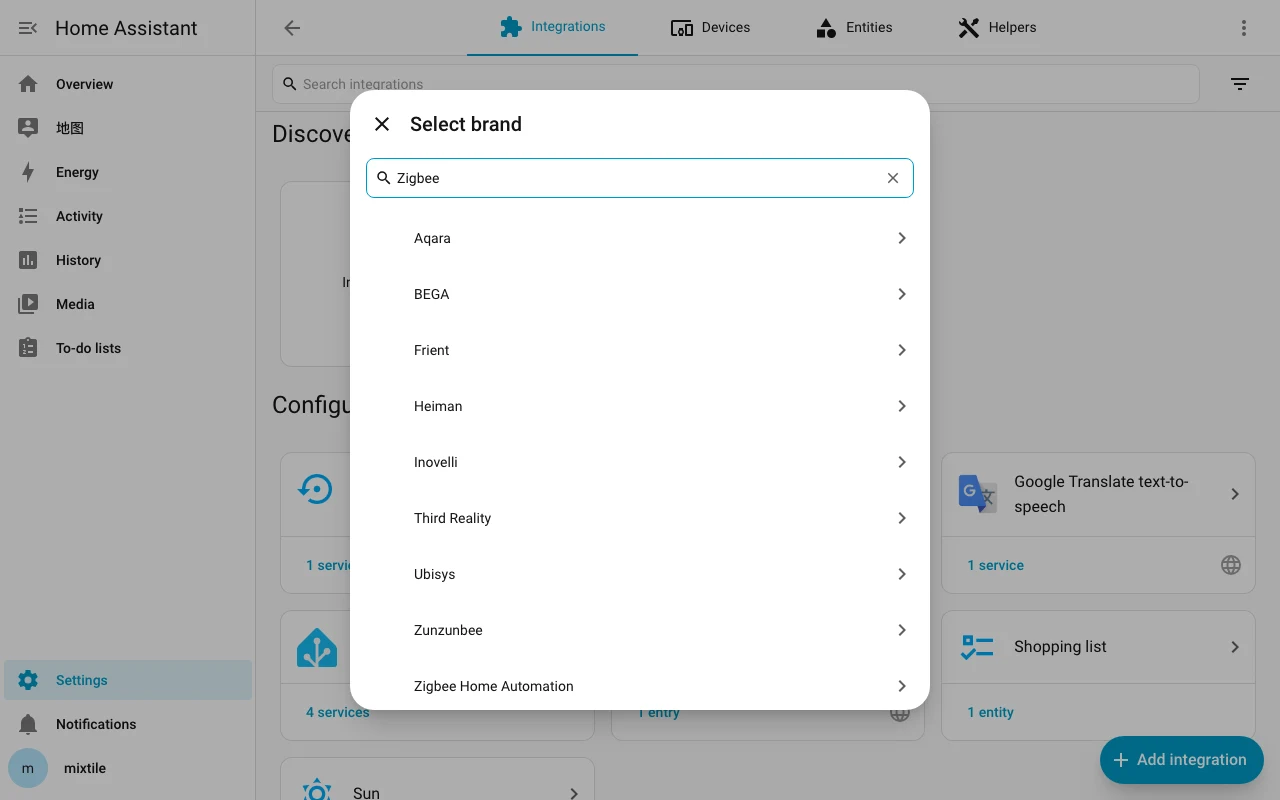
- Type "Zigbee" in the text box and then select
Zigbee Home Automation.
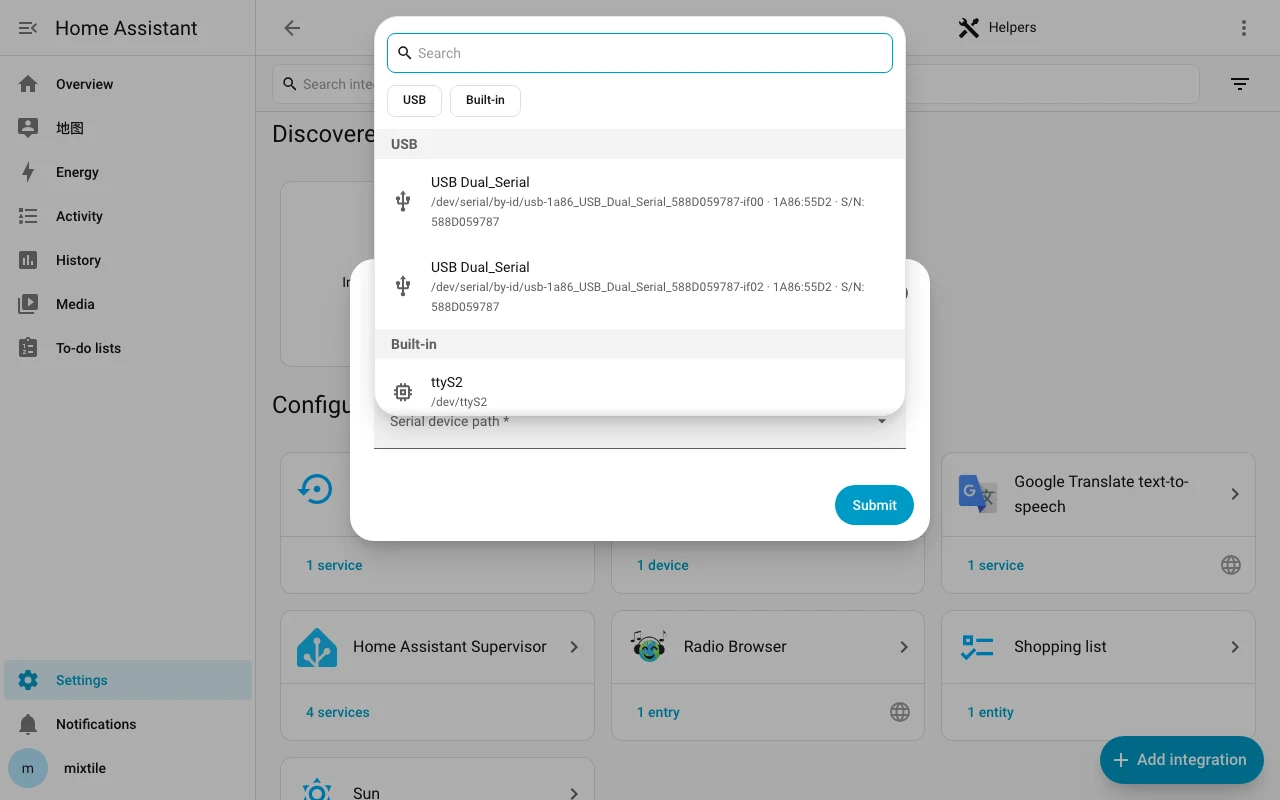
- On the Select a serial port page, open Serial device path, select the
USB Dual_Serialentry whose path ends in-if02, and click Submit.
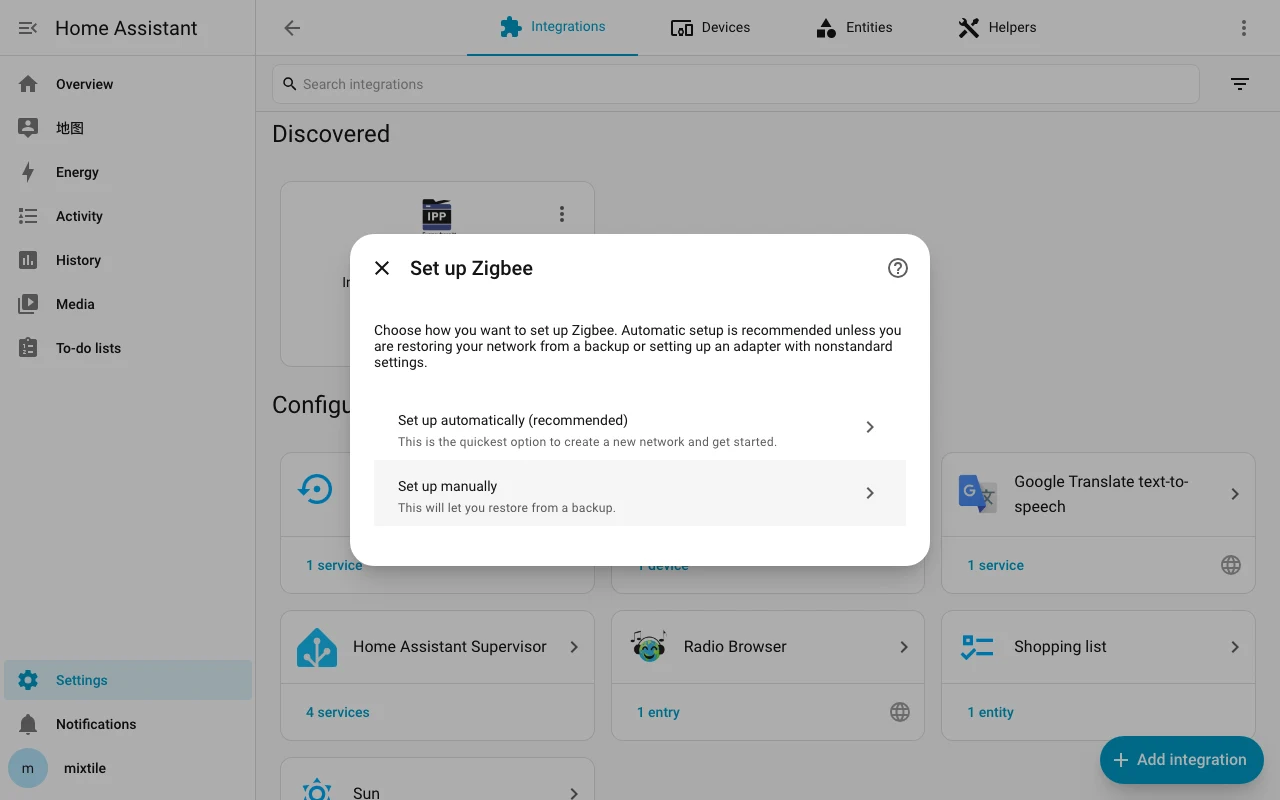
- On the Set up Zigbee page, select
Set up automatically (recommended).
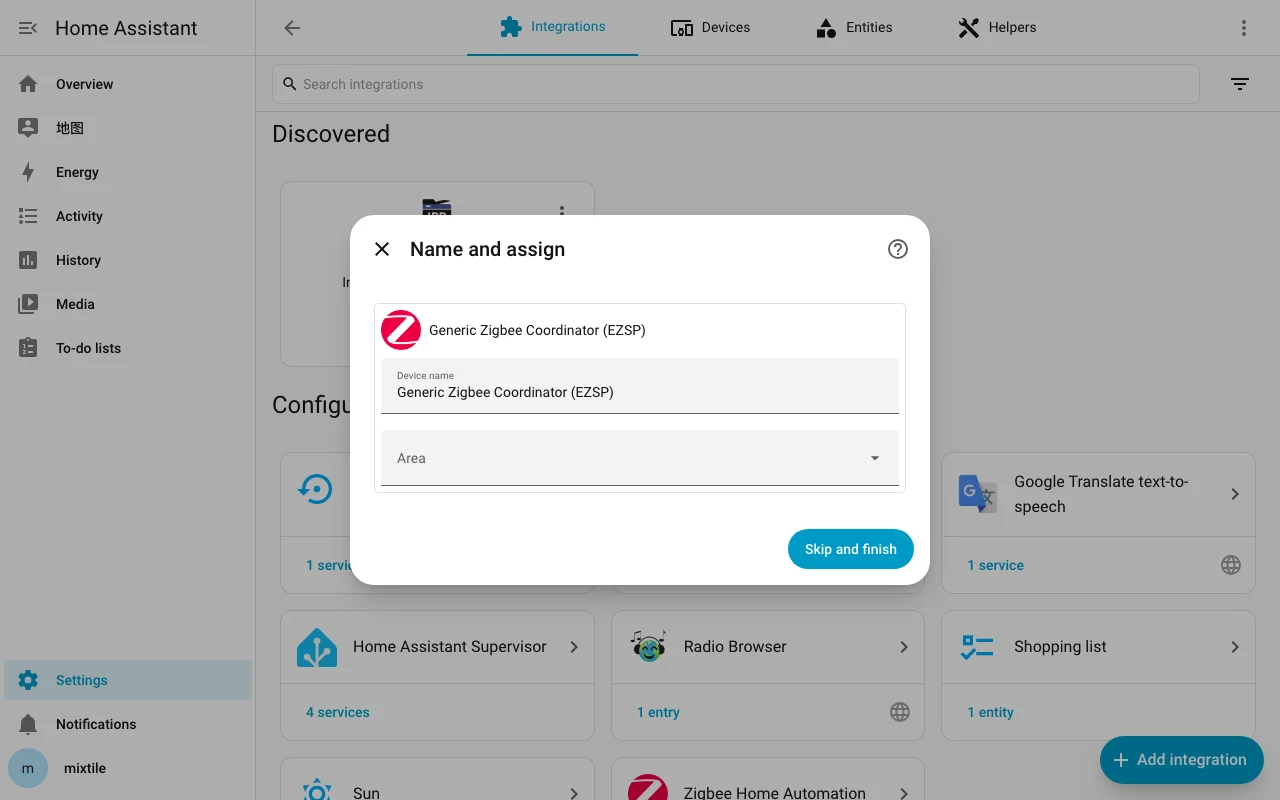
Zigbee is now set up in Home Assistant, as Generic Zigbee Coordinator (EZSP). You can select an area for it, then click Skip and finish.
Setting up Z-Wave
-
In the Home Assistant dashboard, click Settings in the side navigation bar, click Devices & services, and then click Add integration at the bottom-right corner.
-
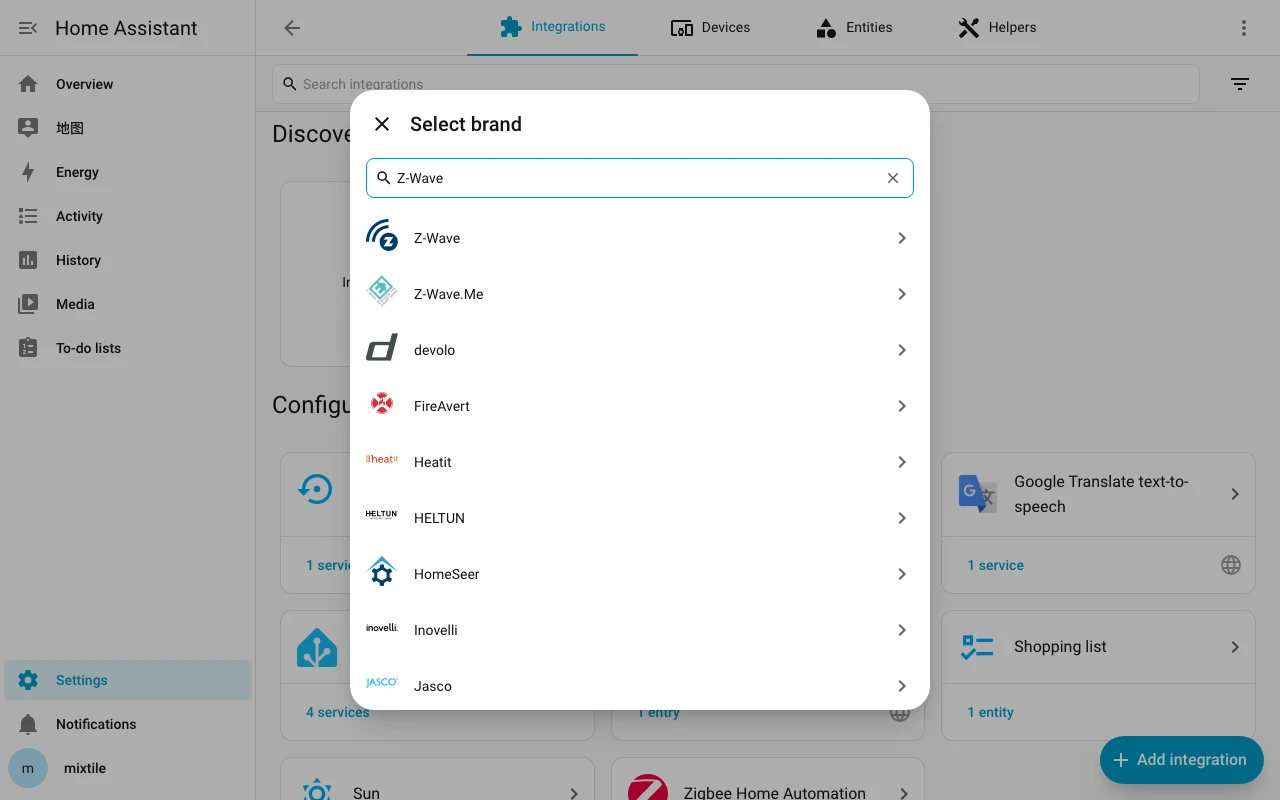
Type "Z-Wave" in the text box and then select
Z-Wave.
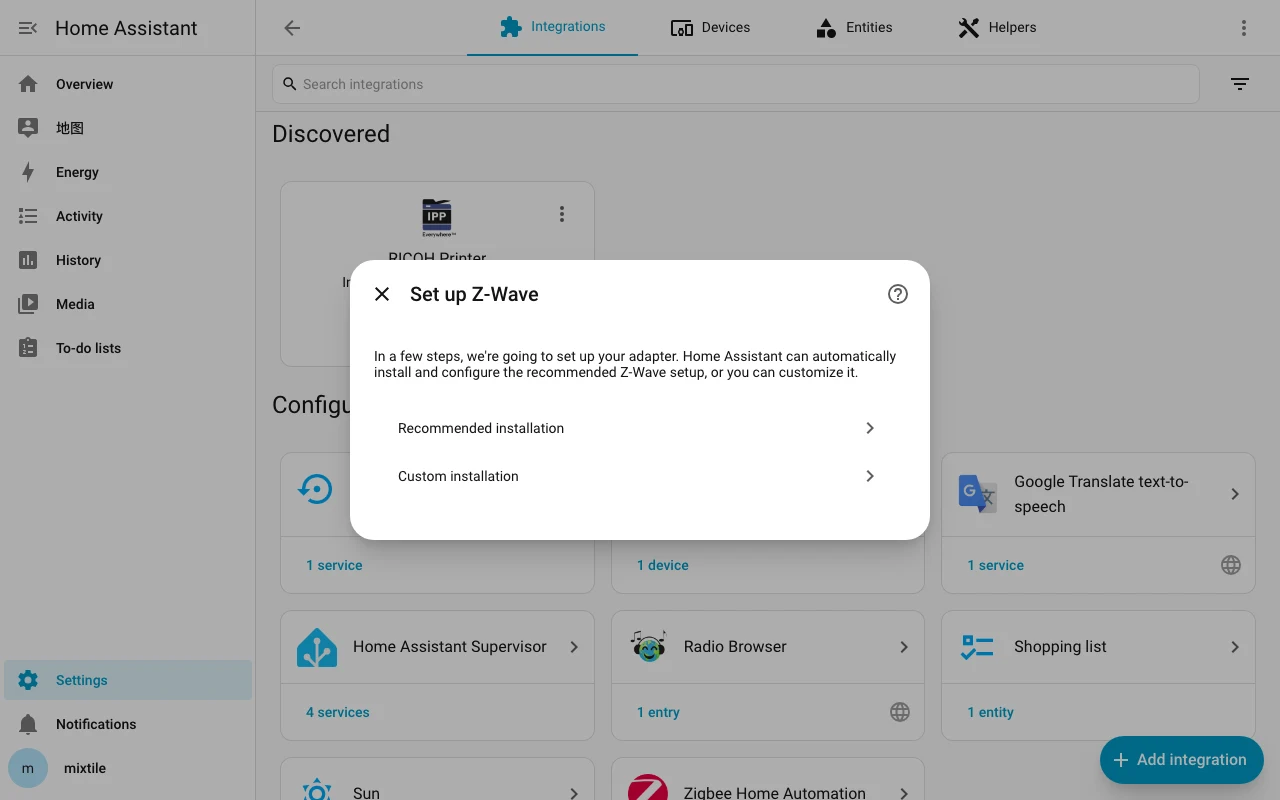
- On the Set up Z-Wave page, select
Recommended installation. Home Assistant installs and starts the Z-Wave JS app, which can take several minutes.
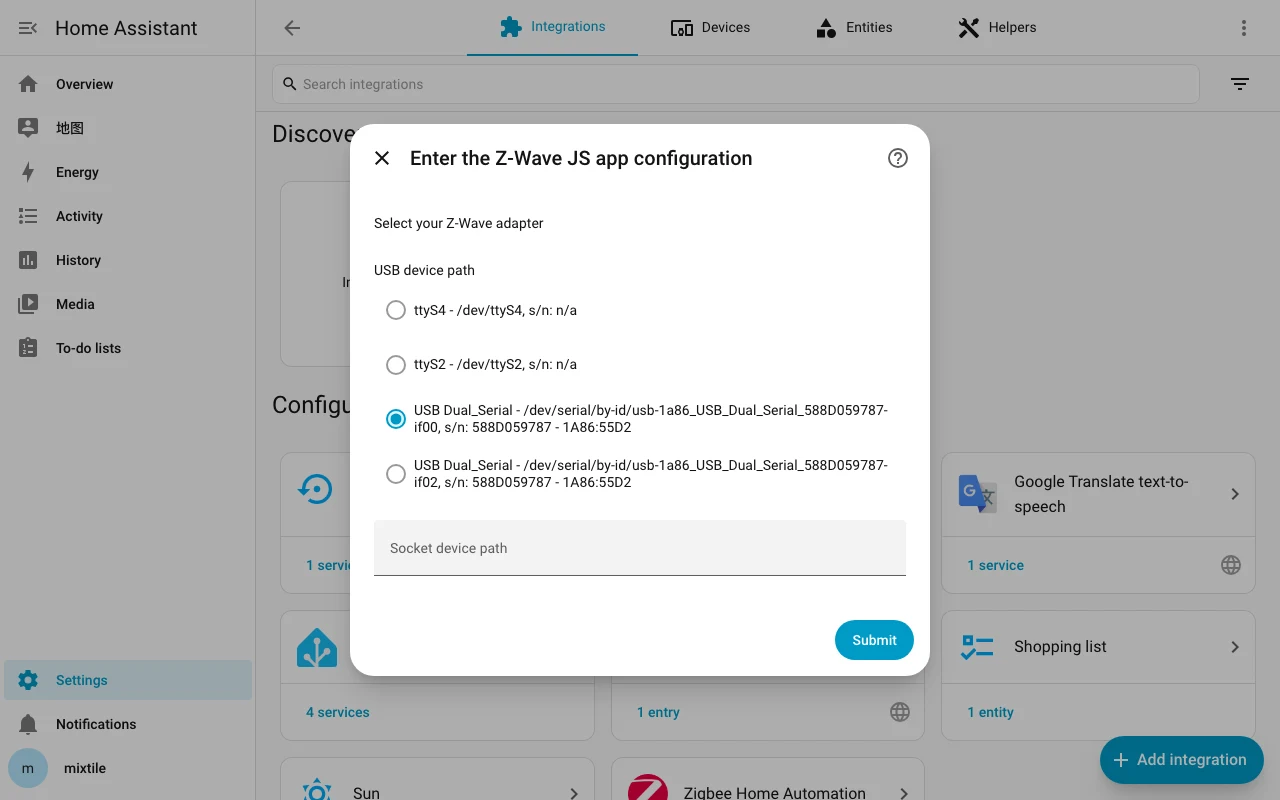
- On the Enter the Z-Wave JS app configuration page, under USB device path, select the
USB Dual_Serialentry whose path ends in-if00, and click Submit.
- When Home Assistant has configured the app, the Name and assign page appears. You can select an area for the Z-Wave devices, then click Skip and finish.
The recommended installation sets the Z-Wave region automatically, from the country in the Home Assistant settings. To change the region of the module, see Using the Z-Wave Region Configurator.
Adding Zigbee or Z-Wave devices
- In the Home Assistant dashboard, click Settings in the side navigation bar and then click Devices & services.
- Select the Devices tab and click Add device at the bottom-right corner.
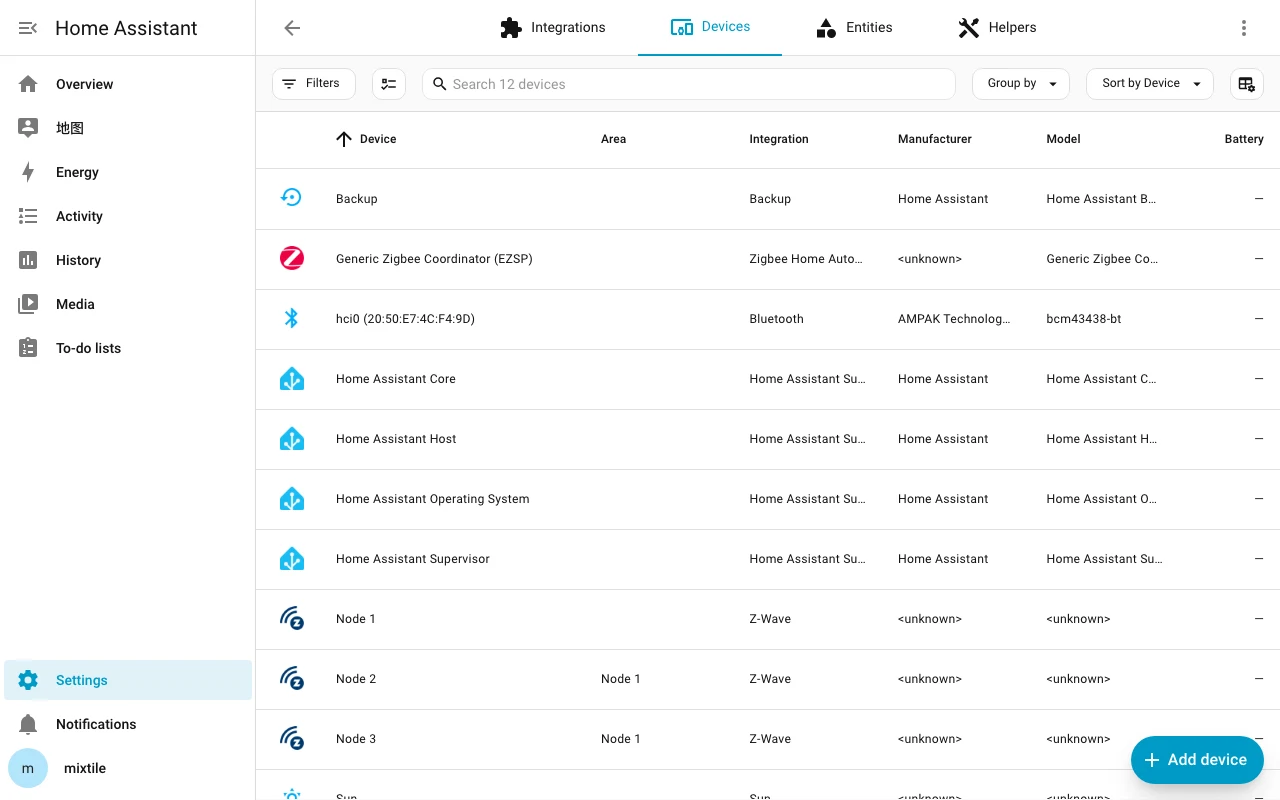
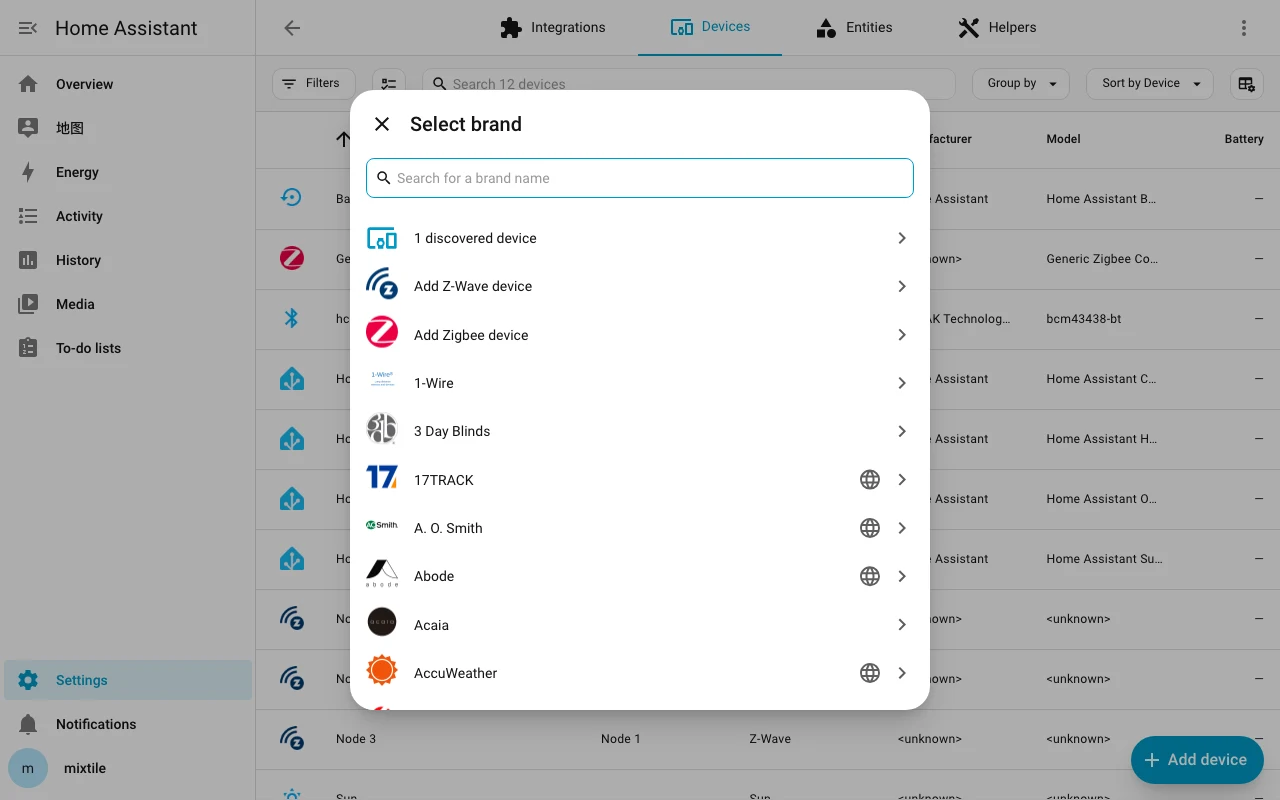
- Select
Add Zigbee deviceorAdd Z-Wave deviceas needed and add your device as instructed.