Power Supply
Edge 2 takes power in one of three ways: USB-C Power Delivery, a 12 V DC adapter, or 12 V through the SATA power connector. Use one input at a time.
Requirements
| Input | Where | Requirement |
|---|---|---|
| USB Power Delivery | POWER, the USB-C port at the corner of the board | A USB PD 2.0 or PD 3.0 adapter, connected with a USB-C to USB-C cable such as the one in the box. The board accepts 5 V to 20 V, up to 20 V at 3 A. |
| 12 V DC | DC 12V, the round jack on the short edge | A 12 V adapter that supplies at least 2 A. The board draws up to 3 A. |
| 12 V through SATA power | The SATA power connector next to the DC jack, pins 13 to 15 | 12 V at up to 3 A, for example from the power supply of an enclosure |
For USB-C power, the adapter must support USB PD and the cable must be USB-C to USB-C. A USB-A to USB-C cable does not negotiate PD.
The POWER port also carries USB 2.0 data. While the board is powered from the DC jack, the same port connects Edge 2 to a computer for flashing.
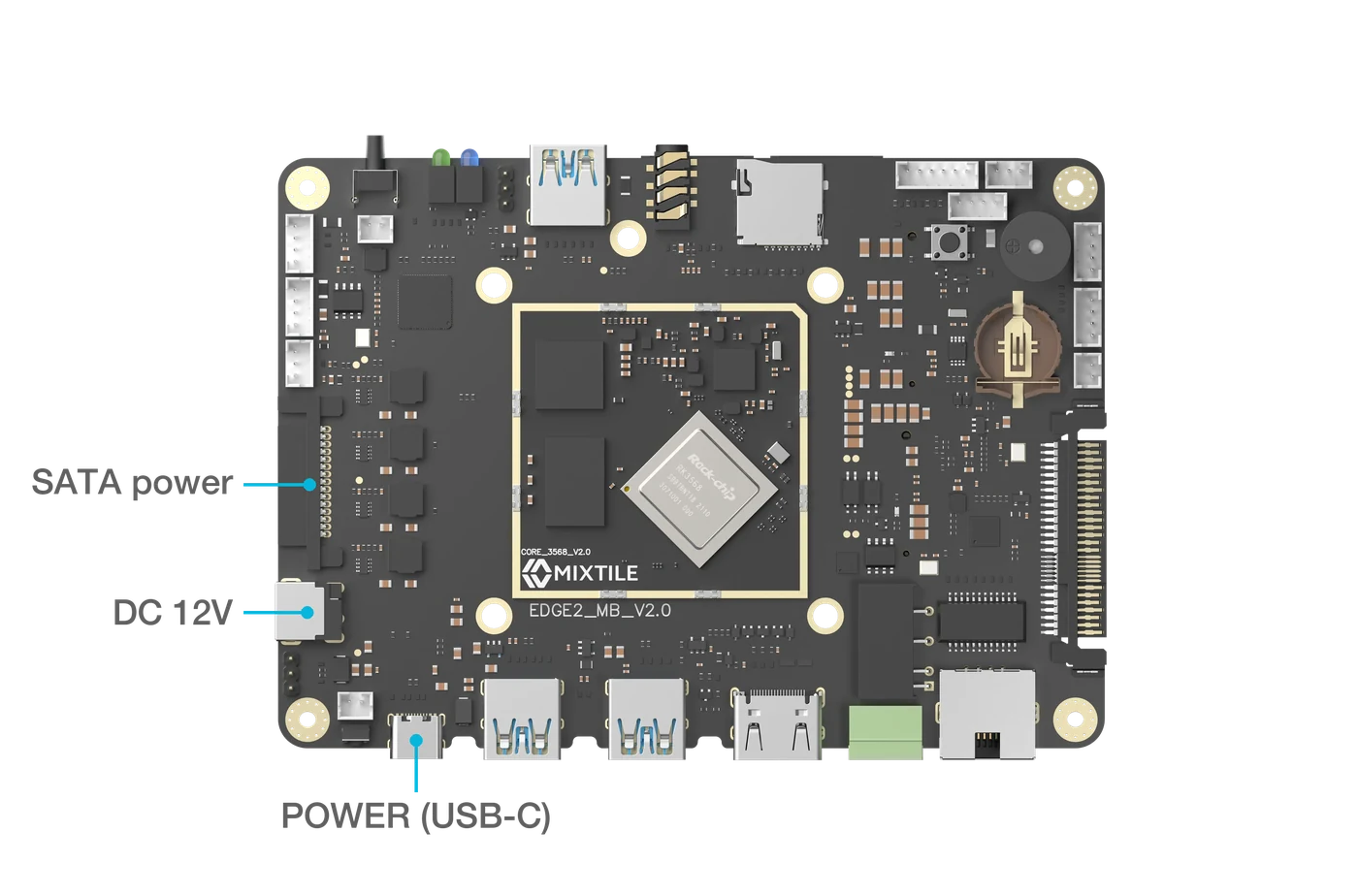
Figure 1. The three power inputs
The green power LED lights up when the board is powered.
Powering attached devices
The board's connectors supply power to what you attach to them, each within its own limit:
| Output | Where | Limit |
|---|---|---|
| 5 V | Each USB 3.0 Type-A port | 1 A |
| 5 V | 5V output connector | 2 A in total |
| 5 V | CAN connector, pin 1 | 200 mA |
| 3.3 V | UART3 and UART5 connectors, pin 1 | 100 mA each |
| 3.3 V | I²C connector, pin 1 | 100 mA |
| 3.8 V | M.2 and Mini PCIe sockets | 3 A in total |
Devices that draw more than this need their own supply.