RS-485
Edge 2 has one RS-485 port, a three-pin, 3.81 mm terminal block on the port edge of the board, between HDMI and Ethernet. It is a half-duplex, two-wire interface for industrial devices such as meters, PLCs and sensors that use Modbus RTU or similar protocols.
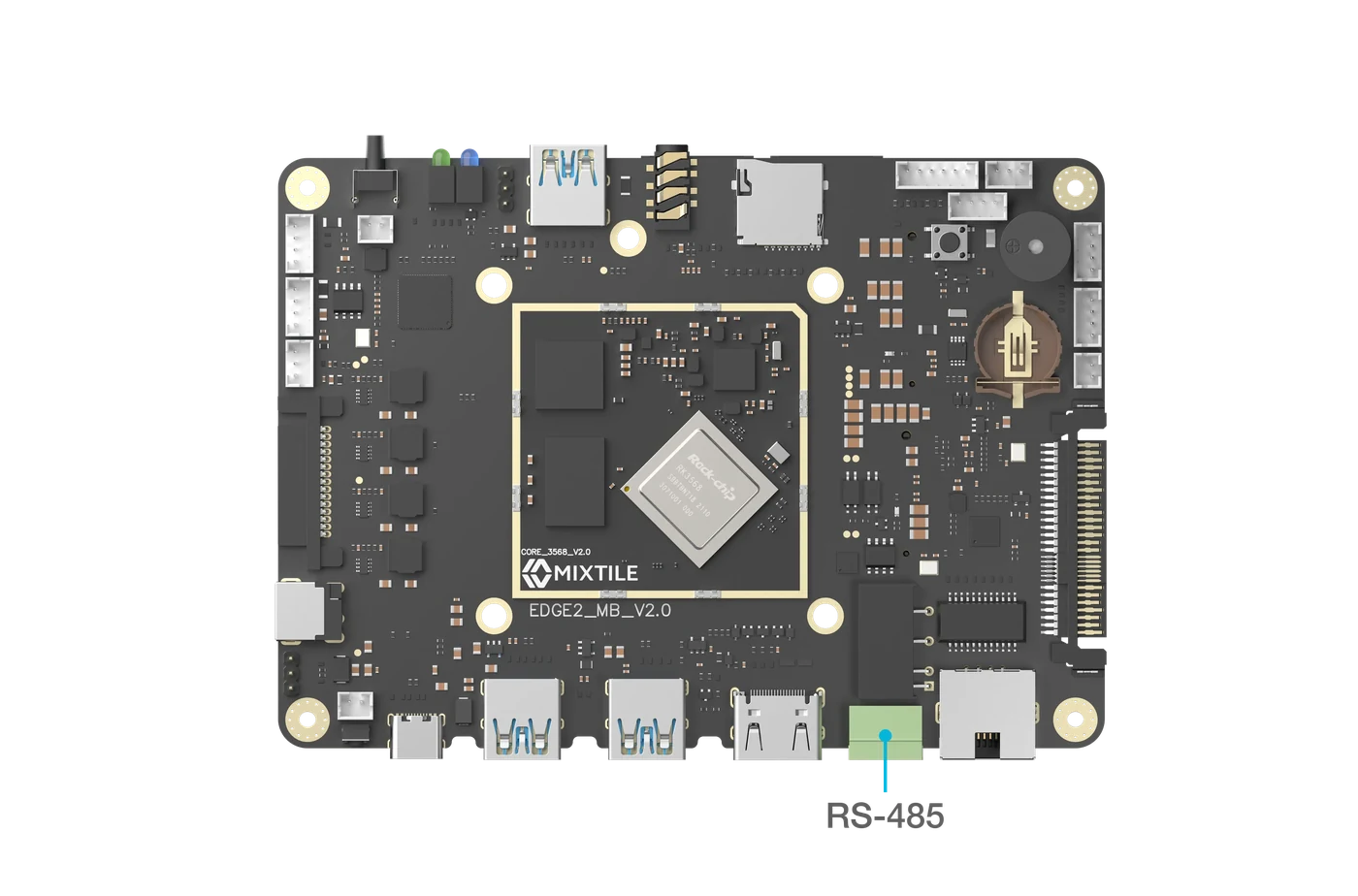
Figure 1. The RS-485 terminal block
Specifications
- Driven by UART4 of the RK3568.
- Half duplex. The transceiver switches between receiving and transmitting by itself, so software does not need to control the direction.
- Isolated: the RS-485 side has its own power supply and ground, separated from the board by optocouplers.
- No termination resistor is fitted on the board. At the ends of a long bus, add a 120 Ω resistor between A and B.
Pin Assignments
Pin 1 is the terminal next to HDMI.
| Pin# | PinName | Signal Description |
|---|---|---|
| 1 | GND | Isolated RS-485 ground |
| 2 | 485B | RS-485 differential signal, negative |
| 3 | 485A | RS-485 differential signal, positive |
Wiring
Connect 485A to the device's A (sometimes marked D+), 485B to its B (D−), and GND to its ground.

Figure 2. RS-485 wiring
Test the Port with Mixtile OS
This test sends text between Edge 2 and a computer through a USB to RS-485 adapter. In Mixtile OS, the RS-485 port is /dev/ttyS4.
-
On the computer, open the adapter's serial port at 9600 baud, for example with picocom:
Host PCpicocom -b 9600 /dev/ttyUSB0 -
On Edge 2, set the same speed and send a line:
Edge 2stty -F /dev/ttyS4 9600 raw -echoecho "hello from Edge 2" > /dev/ttyS4Expected result:
hello from Edge 2appears in picocom. -
To receive, run the following on Edge 2 and type in picocom:
Edge 2cat /dev/ttyS4Expected result: what you type appears on Edge 2. Press Ctrl+C to stop.
This procedure has not yet been verified on Edge 2 hardware with Mixtile OS.